
Drawings
Centralized register of all project drawings with number, revision, discipline, and status. Manage revisions, superseded drawings, and packages.
What is it?
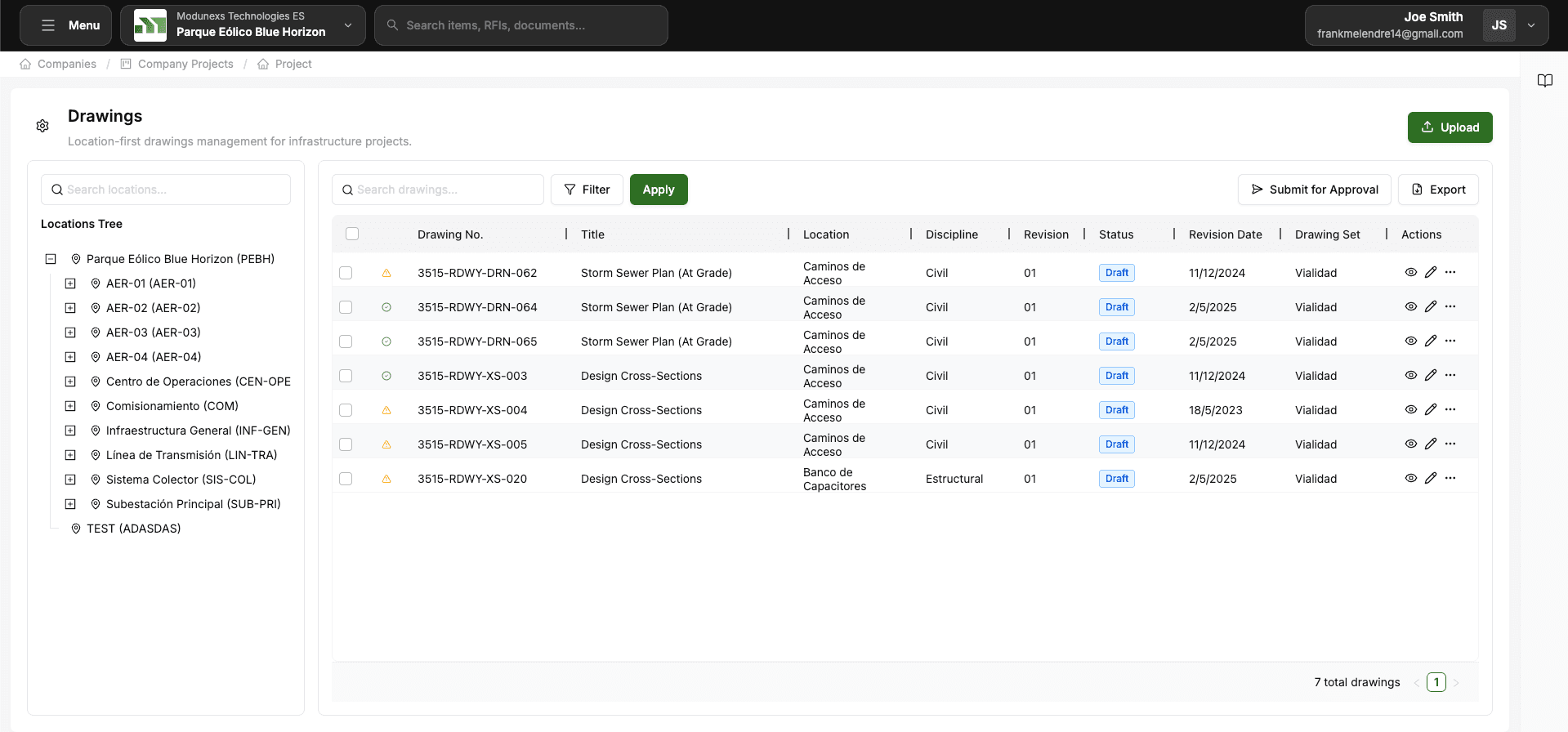
Centralized management of the project's drawings. The Drawing Register holds every drawing with its number, revision, discipline, and status, and supports revision control, superseded drawings, and delivery packages.
When to use it
To centralize all project plans, keep a single source of truth for the current revision of each drawing, and distribute drawing sets to contractors.
Key concepts
A few terms are worth knowing. The Drawing Register is the centralized register that holds every project drawing with its number, revision, discipline, and status. Each Drawing Revision is a version of a drawing — new revisions supersede the previous one while keeping the full history. A Superseded Drawing is one that has been replaced by a later revision: it stays archived and accessible but is marked obsolete. A Drawing Package groups drawings together for sending to contractors or for specific delivery phases.
Adding a drawing
When you upload a drawing the essential information is its number, a title, the discipline it belongs to, and the file itself (PDF or DWG). Optionally you can add the drawing's scale and its issue date.
What you can do
You can register drawings in the centralized register with their details, upload them in PDF or DWG format, and manage revisions — creating a new revision, comparing it with the previous version, and keeping the full history. Replaced drawings are automatically archived as superseded while remaining accessible, and you can group drawings into packages for distribution or delivery phases.
How to use it
- Go to Project Hub → Drawings.
- Click "Upload Drawings" and fill in the number, title, discipline, and scale.
- To update a drawing, add a new revision — the previous one becomes superseded automatically.
- Group drawings into packages to send a set to contractors or for a delivery phase.
Project Hub
Operational project modules. This is where all the technical documentation lives: drawings, BIM models, submittals, RFIs, correspondence, and punch list. It is the core of the project team's daily work.
BIM Models
Management of BIM federations and models. Upload models by discipline, federate them, and visualize in the integrated Autodesk 3D viewer.