
Create Your First Project
How to create a project, assign a team, and configure the basic modules.
What is it?
A project is an individual job within a company. It inherits the company configuration and holds its own team, technical documentation, and operational modules.
How to use it

-
Inside the company, go to the projects list and click "New Project".
-
Fill in the general data: name, location, start/end dates, and status.
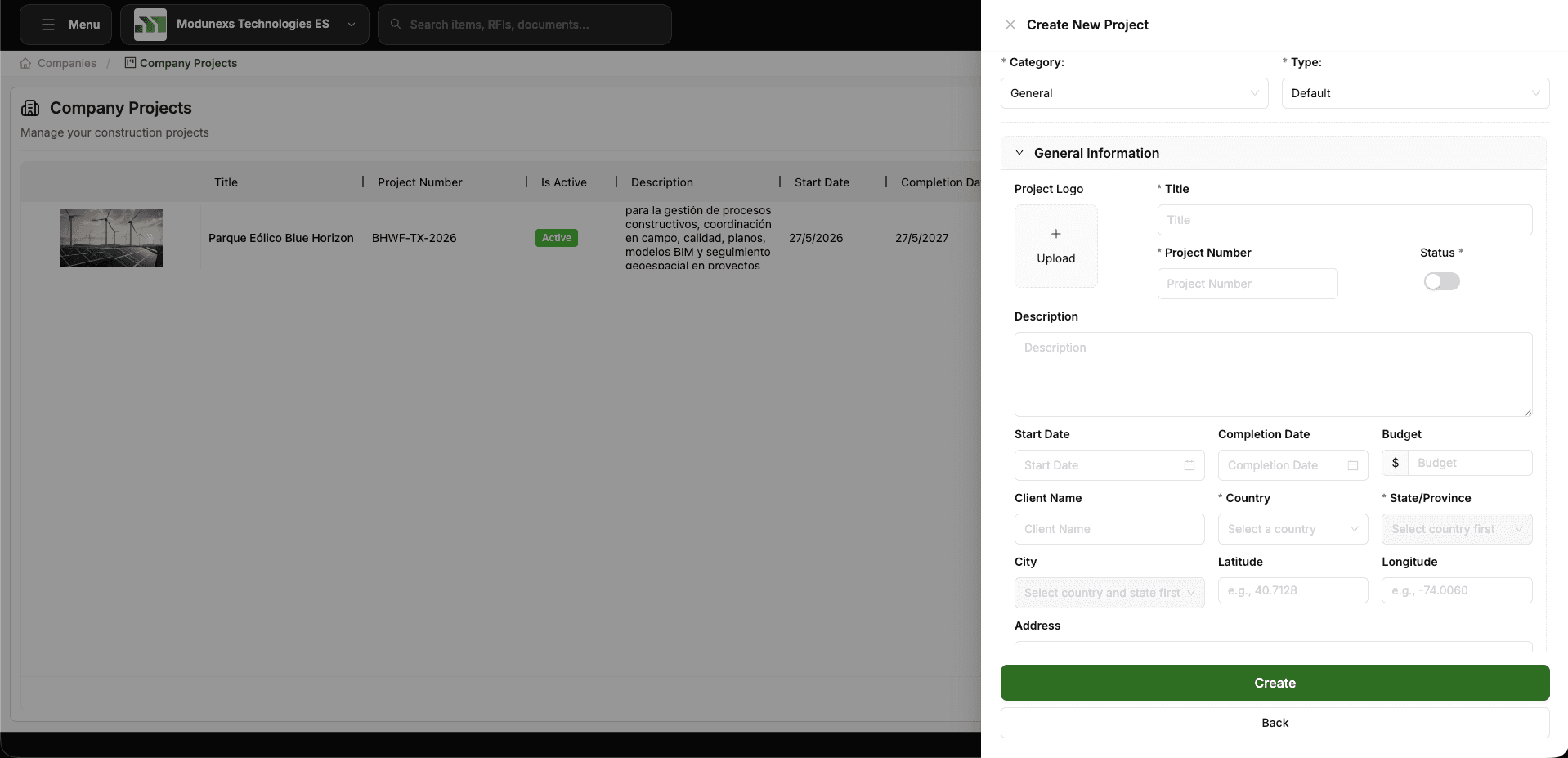
-
Save. The project inherits the company directory, roles, fieldsets, and workflows by default.
-
Open Project Team and add the members who will work on this project, assigning each one a role.
-
Review the Project Configuration and override anything specific to this job (locations, workflows, permissions).
What gets inherited automatically
When a project is created it starts with everything its company already has configured, so you don't have to set it up again. It receives the directory of companies, vendors, and contacts, the roles and permissions that define the default access levels for each module, the fieldsets with the custom fields configured for every module, and the workflows that serve as review and approval templates.
Anything inherited can be overridden at the project level without affecting other projects of the same company. See Scope & Inheritance.