RFI Management • Workflows

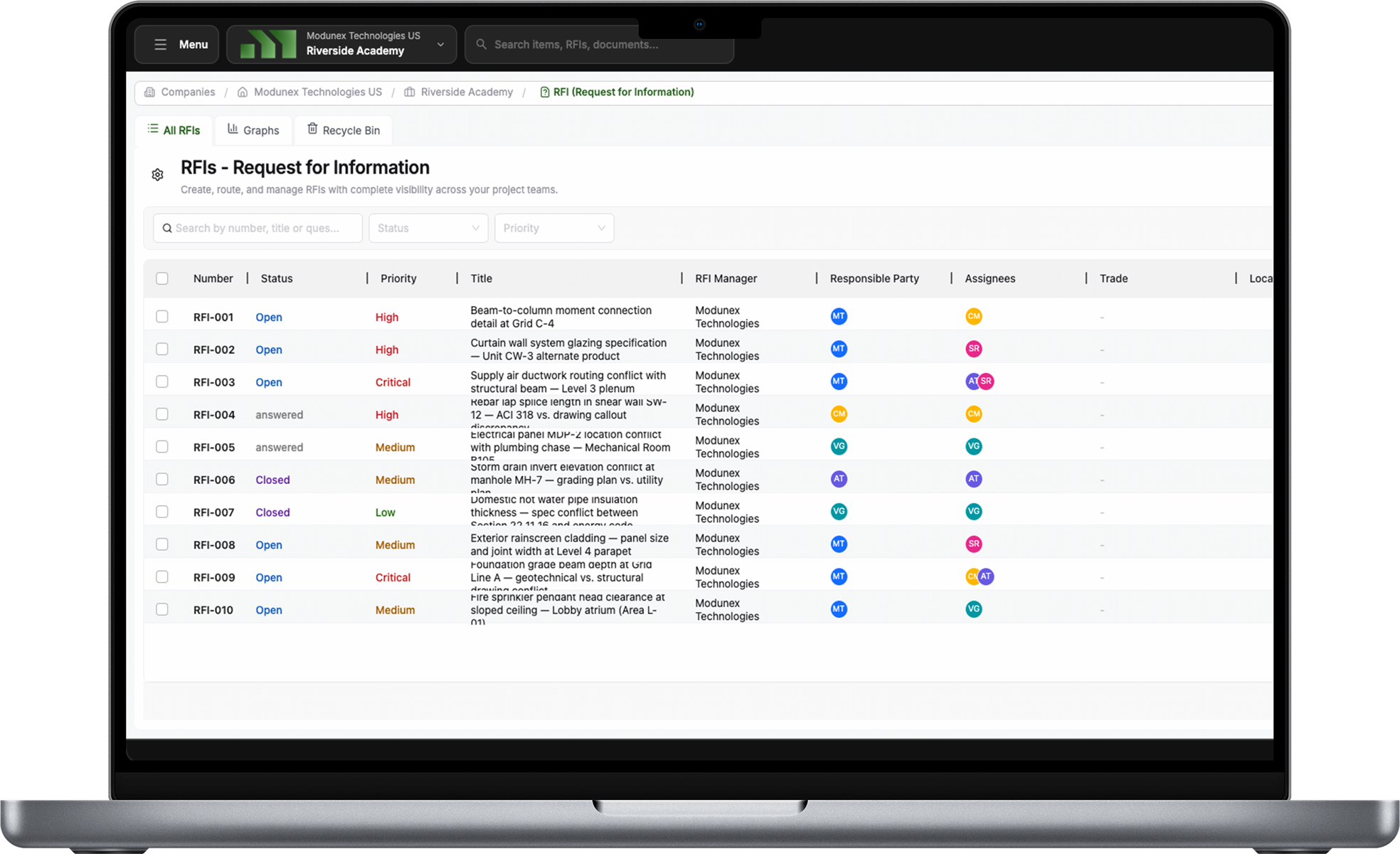
Request for Information (RFI) Management Software

Centralize and manage RFIs with structured questions, smart routing, and role-based workflows designed for real construction projects.

Assign responsibility across companies, route RFIs automatically based on role, trade, or specialty or companies, connect questions directly to BIM models, drawings, and specifications, and maintain a complete audit trail from submission to closure.

01

What Is an RFI and How It Works

A Request for Information (RFI) is a formal process used in construction projects to clarify design intent, specifications, constructability issues, or conflicting documents.

In Modunex, RFIs follow a structured and auditable lifecycle:

An RFI is created using standardized fields to ensure clarity
Supporting documents such as drawings, specifications, and images are attached
The RFI is routed to the responsible party for review
Responses are tracked, versioned, and formally issued
The RFI is closed with a complete historical record

This structured approach reduces miscommunication, rework, and project delays while maintaining a single source of truth.

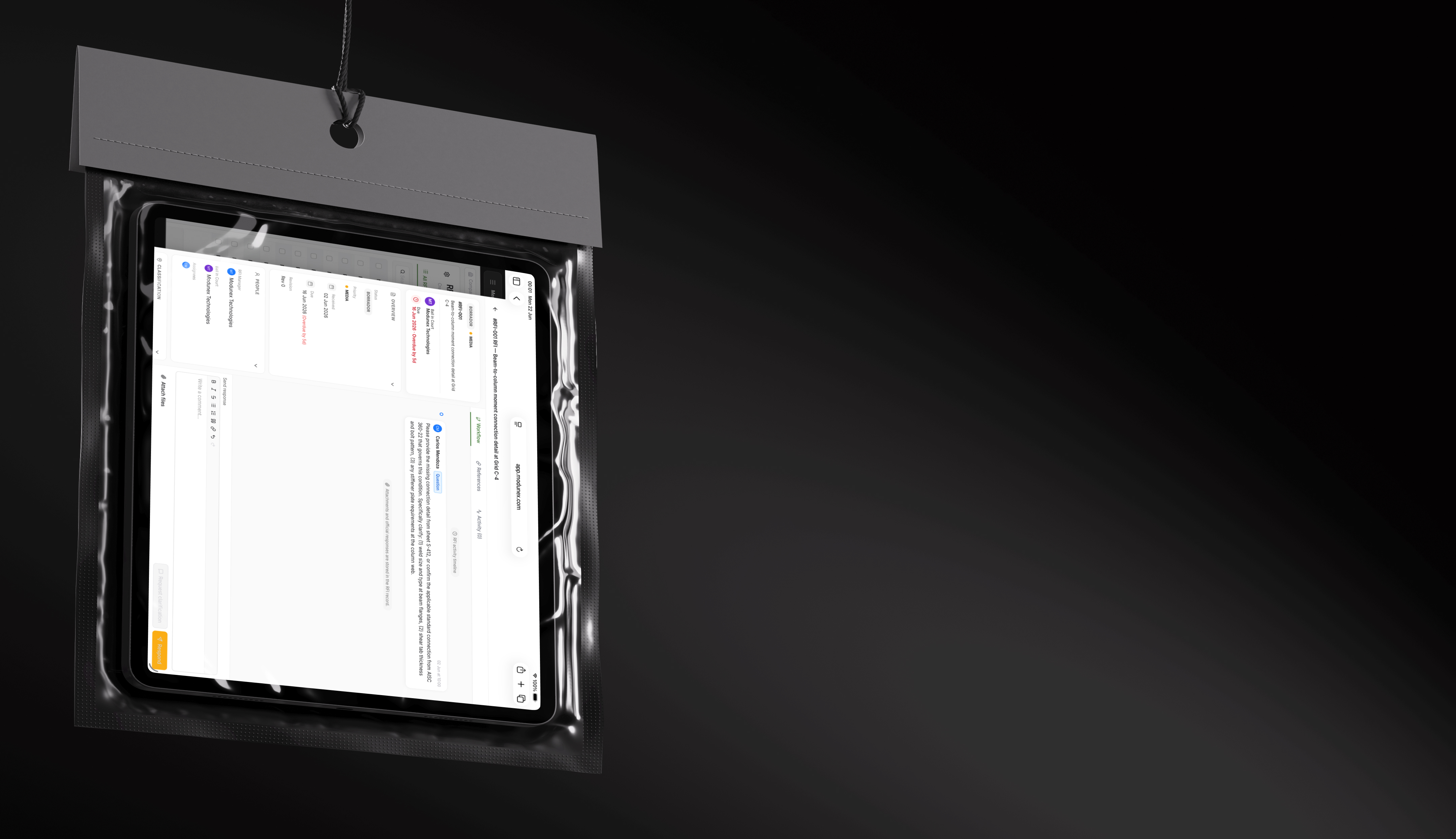
RFI Lifecycle in Construction
02

Smart RFI Routing and Approval by Role

RFIs should automatically reach the right person — without manual forwarding or guesswork.

Modunex routes RFIs dynamically based on clearly defined roles and project rules, such as:

RFI creator
Responsible responder
Technical reviewer
Final approver
Read-only stakeholders

Routing and approvals can be configured based on company, role, or responsibility, ensuring every RFI has a clear owner at every step.

No more uncertainty about who has the ball. Every action is assigned, tracked, and visible.

Automated RFI Routing
Role-Based Approvals
03

Workflow Templates by Trade, Specialty, Company, or Origin

Not all RFIs follow the same path.

Modunex allows teams to define flexible workflow templates that adapt to the project context, including:

Trade or specialty (structural, civil, electrical, MEP, etc.)
Company responsible for the response
Who created the RFI (GC, subcontractor, consultant)
Project-specific rules or conditions

Each project can support multiple RFI workflows simultaneously, reflecting how construction actually works in the field.

Customizable Templates
04

Connected to BIM Models, Drawings, and Specifications

RFIs should never live in isolation.

Modunex connects RFIs directly to project information, allowing teams to:

Link RFIs to BIM elements or model views
Attach drawings, markups, and specifications
Reference exact locations, systems, or components
Maintain context between the question and the design intent

By connecting RFIs to models and documents, teams gain clarity, reduce back-and-forth, and preserve decision context throughout the project lifecycle.

Connected to BIM and Models
05

What Makes Modunex RFI Management Different

Most RFI tools focus on forms. Modunex focuses on workflows and accountability.

Built for multi-company project environments
Dynamic routing instead of fixed approval chains
Clear ownership and responsibility at every step
Full traceability for claims, disputes, and compliance
Designed to scale from simple questions to complex technical RFIs

Modunex doesn't just manage RFIs — it brings structure, clarity, and confidence to the decision-making process.

Multi-Company Collaboration
FAQ

Frequently Asked Questions (FAQ)

A Request for Information (RFI) is a formal process used to clarify design intent, specifications, or construction conditions during a project. RFIs help prevent errors, rework, and delays by ensuring all stakeholders work from the same information.
RFIs can be created by authorized users such as general contractors, subcontractors, consultants, or project team members, depending on project permissions and company roles.
RFIs are routed automatically based on predefined rules such as role, company, trade, specialty, or project conditions. This ensures each RFI is assigned to the correct responsible party without manual intervention.
Yes. Modunex supports multiple RFI workflow templates within the same project. Workflows can vary based on trade, specialty, company, or who created the RFI.
Approvals are role-based and can include reviewers and final approvers. Each approval step is tracked with timestamps, ensuring full accountability and auditability.
Yes. RFIs can be linked directly to BIM elements, model views, drawings, and specifications, preserving context and reducing miscommunication.
Every RFI includes a full audit trail showing who created it, who reviewed it, responses issued, approvals completed, and when the RFI was closed.
Modunex is designed for multi-company collaboration, allowing RFIs to flow across general contractors, subcontractors, consultants, and owners while maintaining clear ownership and visibility.
Yes. RFIs can include schedule and cost impact fields, helping teams understand the downstream effects of design clarifications and decisions.
Most RFI tools rely on static forms and rigid workflows. Modunex offers dynamic routing, flexible workflows, role-based approvals, and direct connections to BIM and project data — built specifically for real construction workflows.
RFI Management

Start managing your RFIs with structure and confidence

Book a discovery call and see how Modunex transforms your RFI process.